Pagination Cohort Training Program
Program Structure & Learning Path
Project Role: Instructional Designer / Training Developer
Audience: New Pagination Team Members
Format: 5-Day Blended Training Program
Tools: TalentLMS · Coworker.ai · Notion · Loom · Tango · Adobe Premiere Pro
Audience: New Pagination Team Members
Format: 5-Day Blended Training Program
Tools: TalentLMS · Coworker.ai · Notion · Loom · Tango · Adobe Premiere Pro
I designed a progressive five-day learning experience that moves new team members from foundational system navigation to increasingly complex production workflows. Lessons, guided practice, multimedia demonstrations, and assessments are sequenced to build skills gradually before learners complete job-based tasks independently.

Making Complex Workflows Easier to Navigate
Process-heavy information was broken into focused lessons with clear explanations, visual references, and step-by-step guidance. Content was organized around the decisions and resources learners need while performing their day-to-day work, rather than simply documenting system features.
I organized existing process documentation in Notion, used Coworker.ai to help develop and structure instructional content, built interactive lessons and assessments in TalentLMS, created step-by-step process documentation with Tango, recorded workflow demonstrations in Loom, and edited supporting video content in Adobe Premiere Pro.


Showing the Workflow in Action
For processes that are easier to understand through demonstration, I incorporated short video walkthroughs directly into the course. These demonstrations pair visual system navigation with written guidance, allowing learners to see each workflow performed before practicing it themselves.
Tools: Loom · Adobe Premiere Pro


Checking Readiness Before Application
Formal assessments measure learners' understanding of key workflows, terminology, decision points, and procedural requirements. These checks help identify knowledge gaps before learners progress to practical exercises that require independent task completion.
Moving From Knowledge to Job Performance
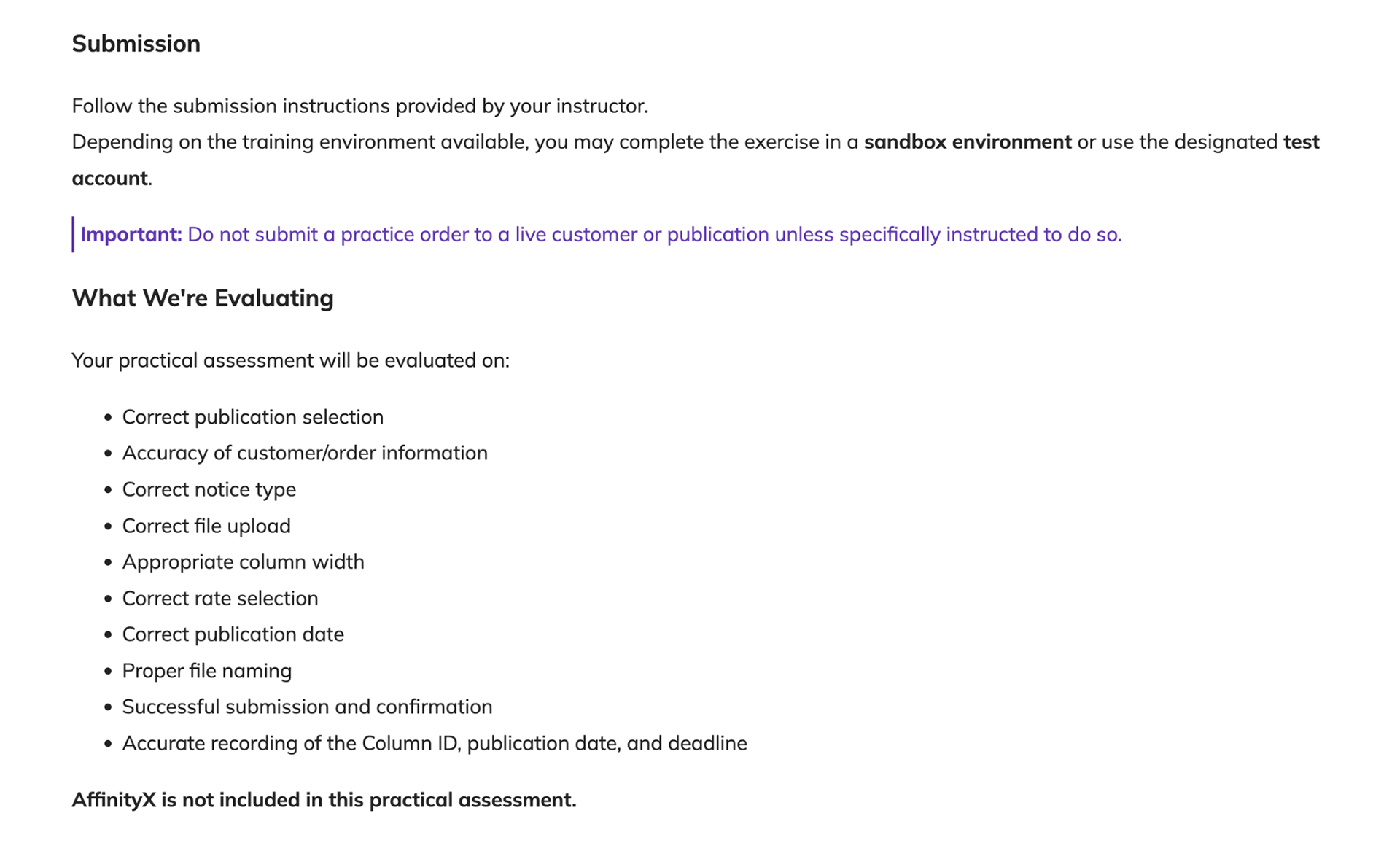
The program culminates in practical assessments modeled after real workplace requests. Learners interpret a mock customer request, navigate the appropriate systems, make workflow decisions, complete the task in a training environment, and submit their work against defined performance criteria.

DragonForce Onboarding Course
Project: DragonForce Mobile — Onboarding Course
To create an engaging, scalable e-learning program that helps users at every level — from field operators to commanders and administrators — confidently navigate the DragonForce Mobile and Desktop platforms. The goal was to simplify onboarding, improve retention, and ensure operational consistency across user types.
Approach:
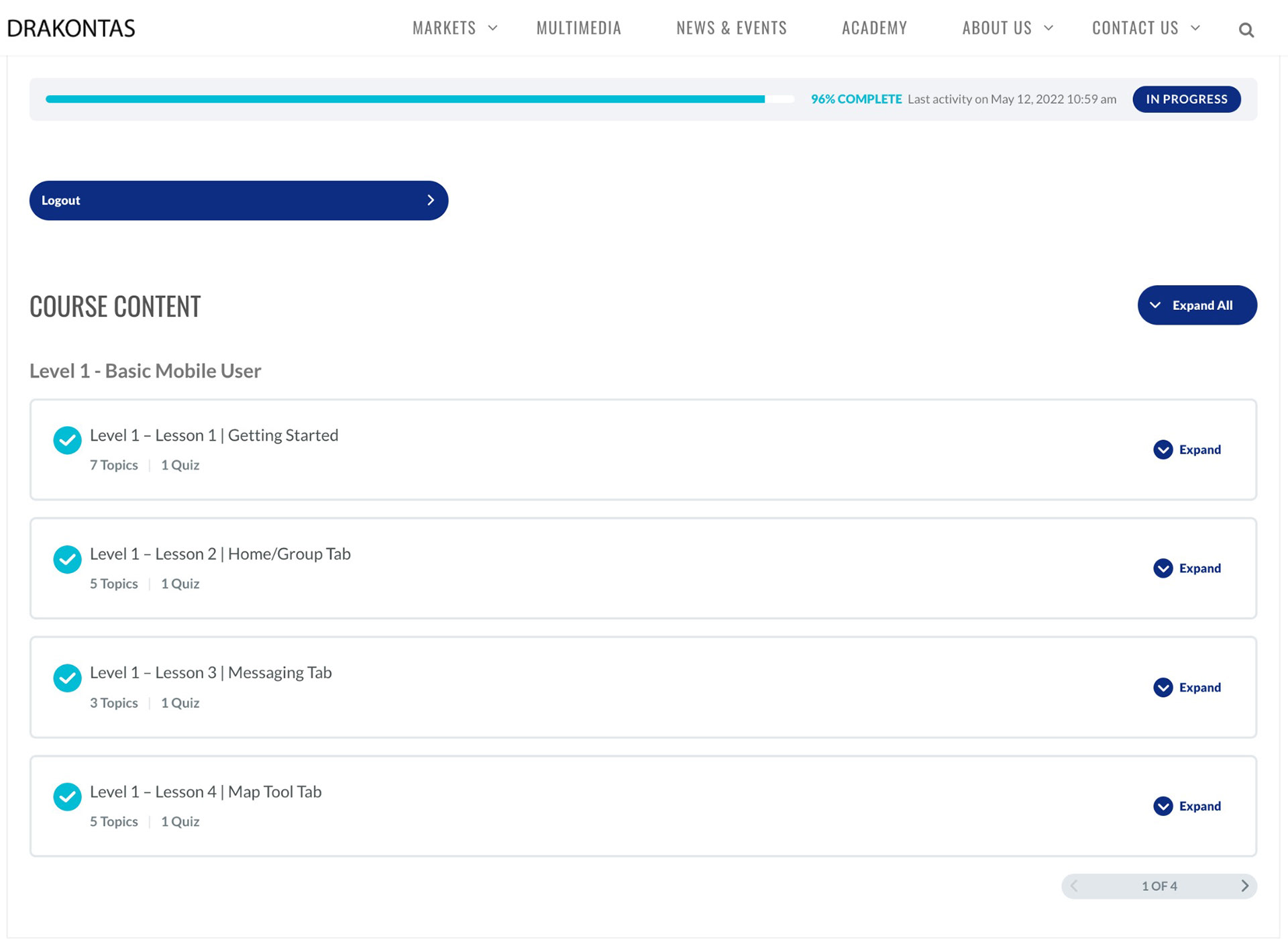
I structured the program as a multi-level modular system, where each learner type follows a tailored path based on their role:
I structured the program as a multi-level modular system, where each learner type follows a tailored path based on their role:
- Basic Mobile User: Core navigation, messaging, and push-to-talk features
- Commander: Map coordination, resource tracking, and multi-unit communication
- Admin (Desktop): Incident monitoring, team oversight, and data synchronization
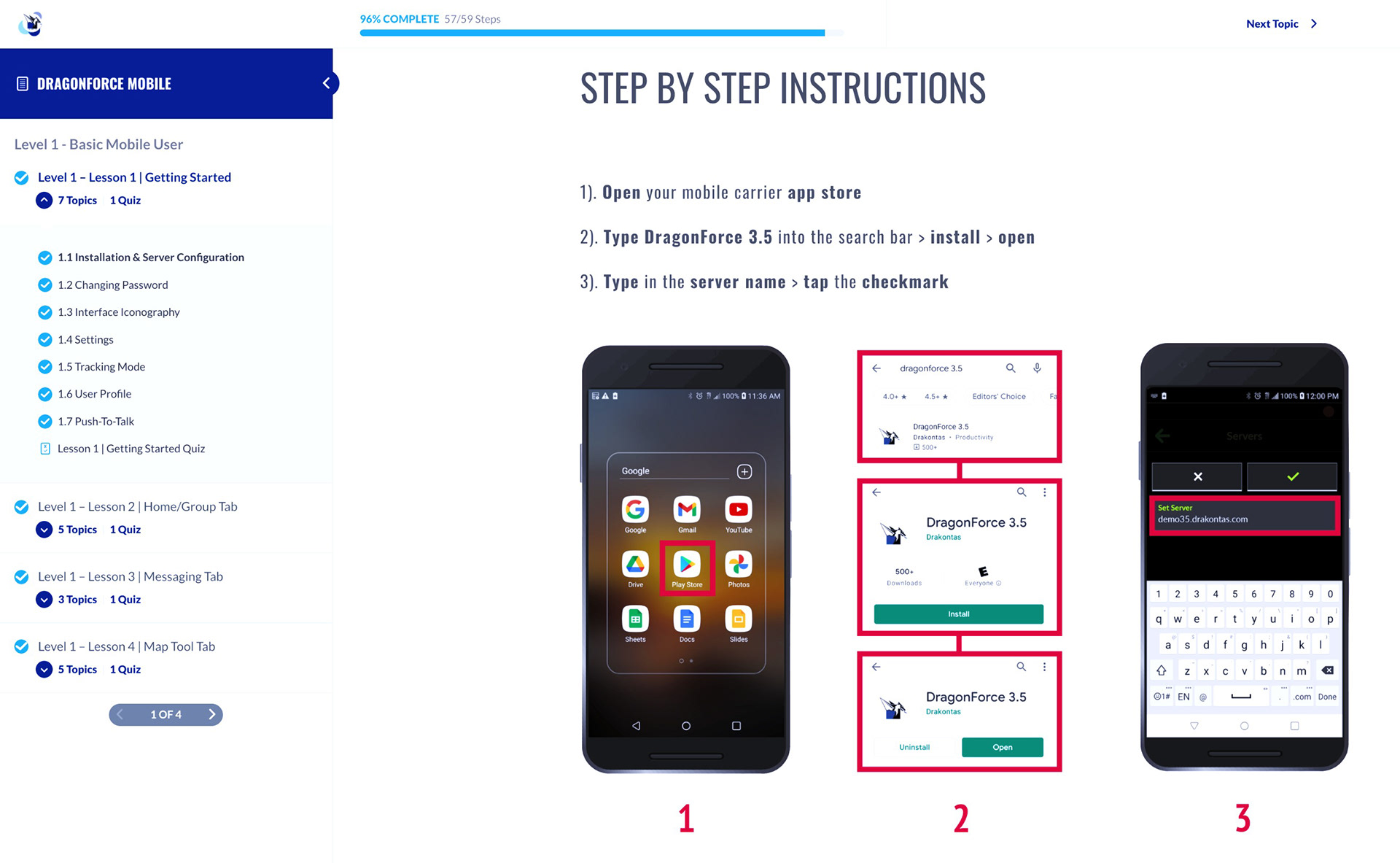
The learning path combined step-by-step visuals, mobile simulations, and video tutorials, ensuring clarity and engagement. Each course included knowledge checks, interactive quizzes, and a certificate of completion upon passing the final assessment.
Tools Used:
LearnDash LMS (WordPress Plug-in): Course creation, user segmentation, quizzes, and completion tracking
Adobe InDesign: Storyboarding, text layout design, and instructional flow mapping
Adobe Premiere Pro: Video tutorials and screen walkthrough editing
WordPress Plug-ins: Role-based access, progress tracking, and gamification integration
Adobe Illustrator & Photoshop: Custom icons and UI mockups for consistency
Timeline:
Duration: 6–8 weeks total
Week 1–2: Course structure, module mapping, and visual style guide
Week 3–4: Content design and screen recording (mobile and desktop)
Week 5–6: Integration into LearnDash, quiz creation, and progress tracking setup
Week 7–8: Testing, QA, and certificate automation
Result:
The final program provided a complete onboarding solution that reduced the learning curve across departments. Users were able to complete self-paced training with clear milestones and certifications, while administrators could monitor completion data through LearnDash analytics.
The course achieved measurable improvements in:
- Training completion rate
- User confidence in role-specific features
- Team communication efficiency across mobile and desktop platforms
Interactive Quiz Module
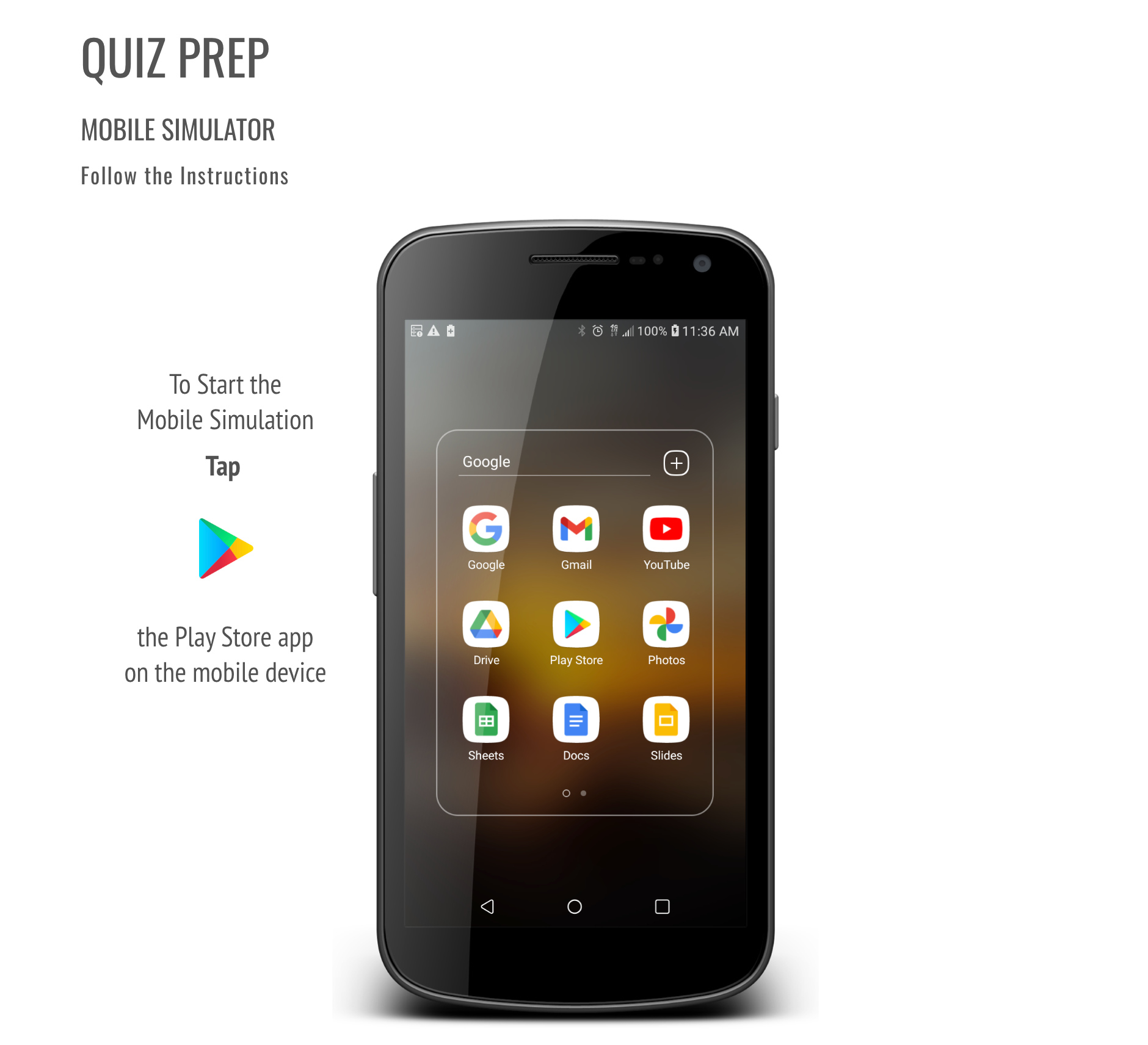
To reinforce learning retention, I integrated interactive mobile simulations that allowed users to practice real-world actions in a guided environment before assessment. Each lesson concluded with a short quiz designed to measure comprehension and reinforce procedural memory.
Learners could review missed steps immediately and retake sections as needed, ensuring confidence before progressing. Successful completion triggered a certificate of completion, automatically logged in LearnDash for tracking and reporting.
A short, focused feature demonstration highlighting DragonForce’s map layer functionality and its real-world use during mission coordination.
This video was created to give users a quick understanding of how to access and apply Feature Layers within the DragonForce platform. The goal was to provide a concise, visual overview that could stand alone or integrate seamlessly into onboarding materials.
I storyboarded, edited, and branded the video to match DragonForce’s product identity, ensuring visual consistency with the web and training materials. The final piece was used across multiple channels — from customer onboarding to internal presentations — as part of a larger effort to make feature education more accessible.
Tools Used: Premiere Pro · After Effects · Illustrator
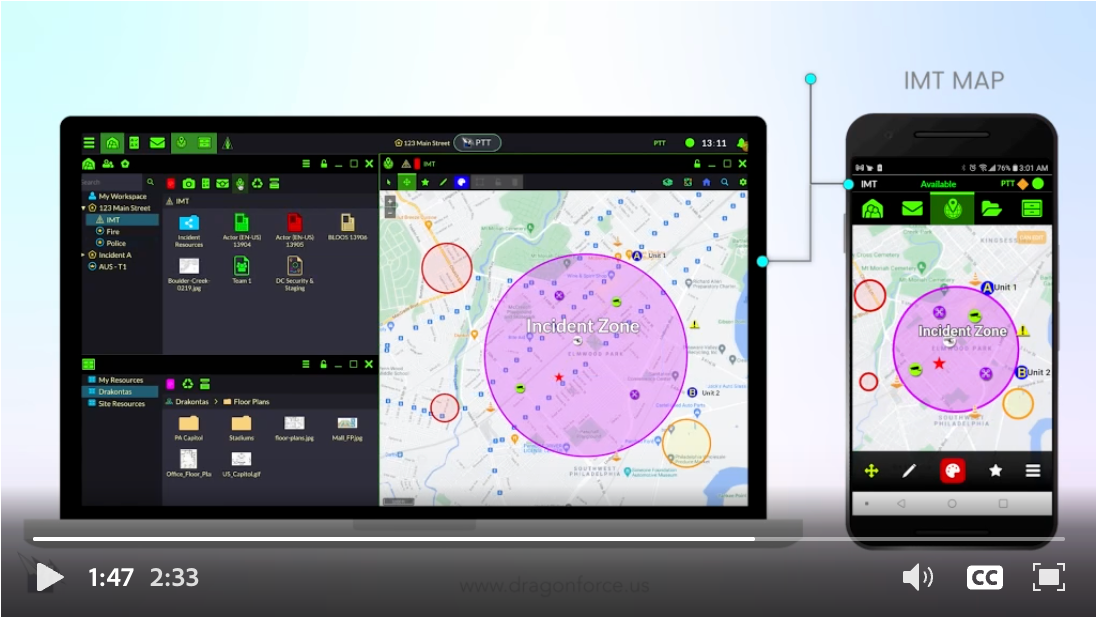
The DragonForce collaborative platform now has a dedicated IMT workspace and map, as well as a new file sharing and group filtering capability.
This instructional media piece was designed to showcase how the Incident Management Team (IMT) module enables multi-agency collaboration within the DragonForce environment. It walks viewers through core features such as group tasking, map-based coordination, and file sharing — emphasizing the software’s utility during complex operations.
The objective was to blend instructional clarity with real-world application. I structured the visual flow to mirror the user’s in-platform experience, reinforcing comprehension and situational awareness. The piece was used in trade shows, training sessions, and e-learning modules for onboarding.
Tools Used: Premiere Pro · After Effects · Illustrator

Enable your team with the DragonForce platform, designed to assist in the needs of utility customers to expedite in-field tasks while reducing recovery time.
This video was produced to highlight DragonForce’s adaptability across industries, focusing on its impact in utility field operations. I developed the concept and visuals to illustrate how the platform streamlines coordination during power outages and maintenance tasks.
The approach blended instructional communication with brand storytelling — using real-world examples and clean transitions to reinforce how the platform supports teams under pressure. The video served both as a training supplement and a marketing asset for industry clients.
Tools Used: Premiere Pro · After Effects · Audition · Illustrator

